Chat combines research with the app’s manual product controls. Ask a question, inspect the answer’s evidence, and review any proposed action before approving it. The selected wallet and network still determine what you can do.
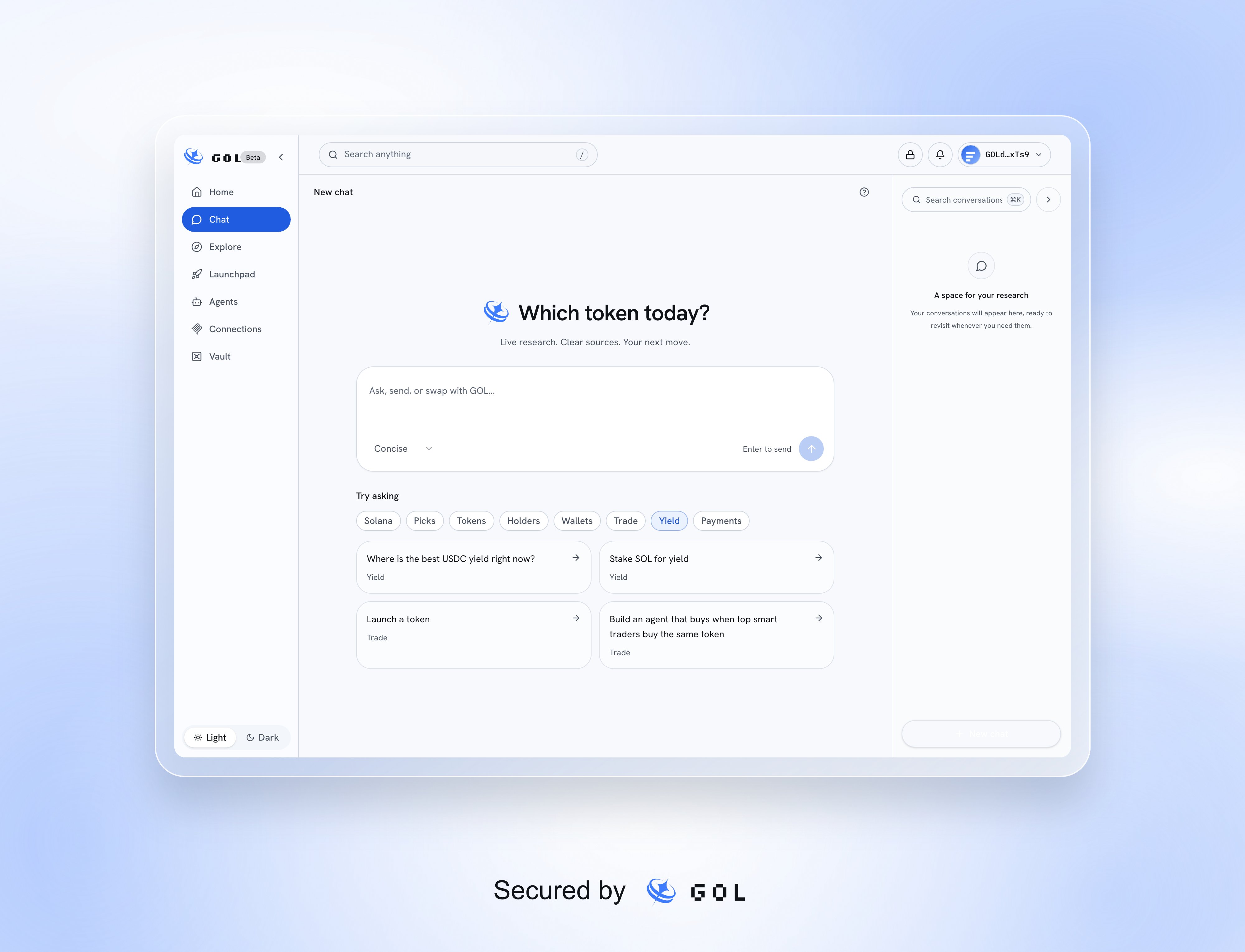
The current Chat start screen with its composer, response style, topic suggestions, and conversation history

A new chat with sample suggestions.

Ask and check the answer

Type a question or choose a suggested topic. Concise favors a short answer; Detailed includes more explanation and tables. While the answer is prepared, the app shows its research progress. Open Thought for to inspect Steps, Research notes, and Sources. Failures or partial results are shown in the trace. Check source dates and amounts before acting; an answer can be incomplete or wrong.
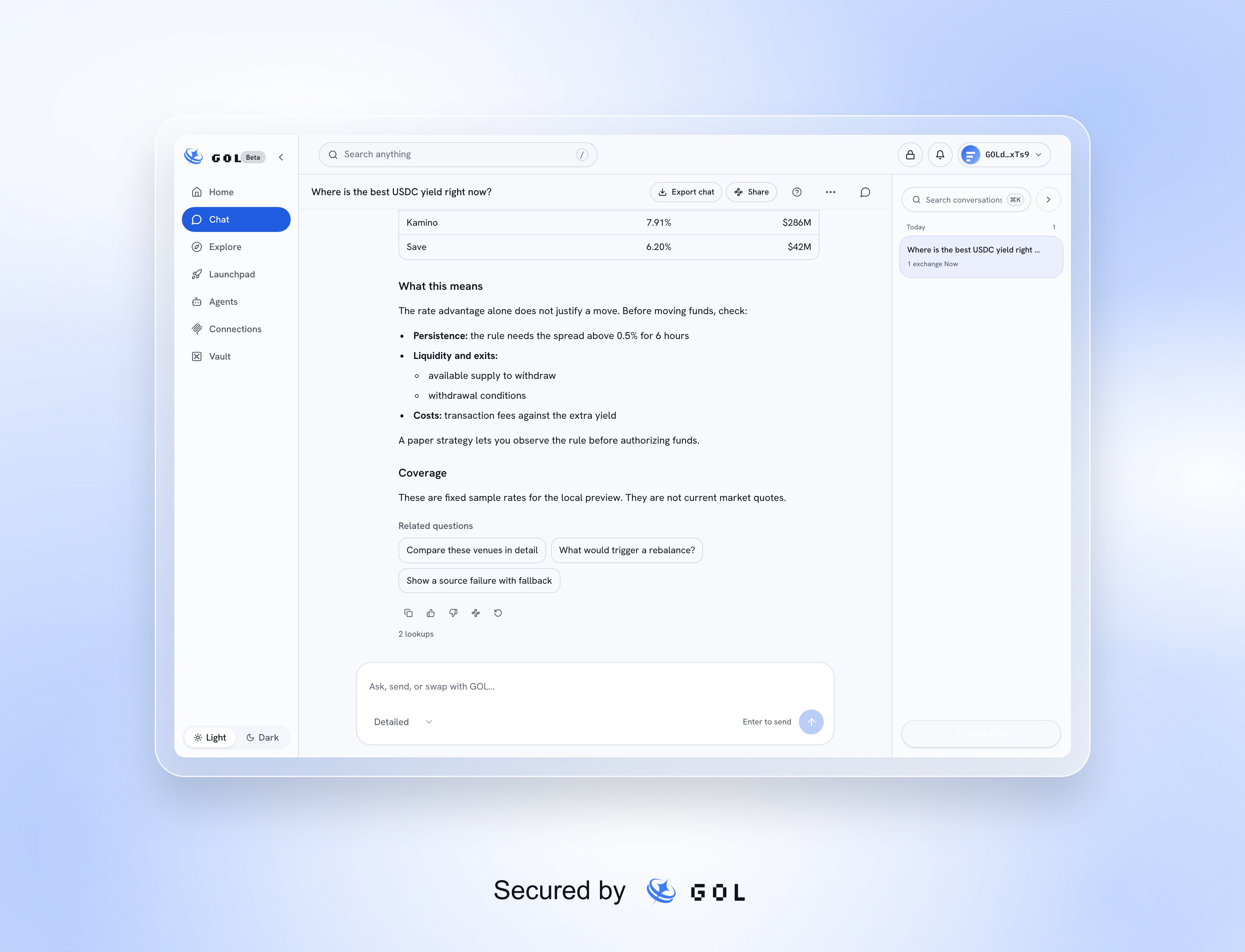
A current detailed Chat answer with research trace, comparison information, and conversation history

A detailed answer using sample rates.

You can copy, rate, share, or ask again, and use related questions to continue.

From answer to action

Supported answers can embed the same controls used elsewhere in the app. You can review a send or swap, supply or borrow through Lend, open native staking, create a strategy, manage agents, review a launch, or open supported Vault and Connections views without leaving the conversation. Try a specific request, such as:
  • “Swap 0.1 SOL for USDC.”
  • “Supply 25 USDC to Jupiter Lend.”
  • “Borrow 50 USDC against 1 SOL.”
  • “Build a strategy that follows these traders.”
  • “Launch a token called Cat (CAT).”
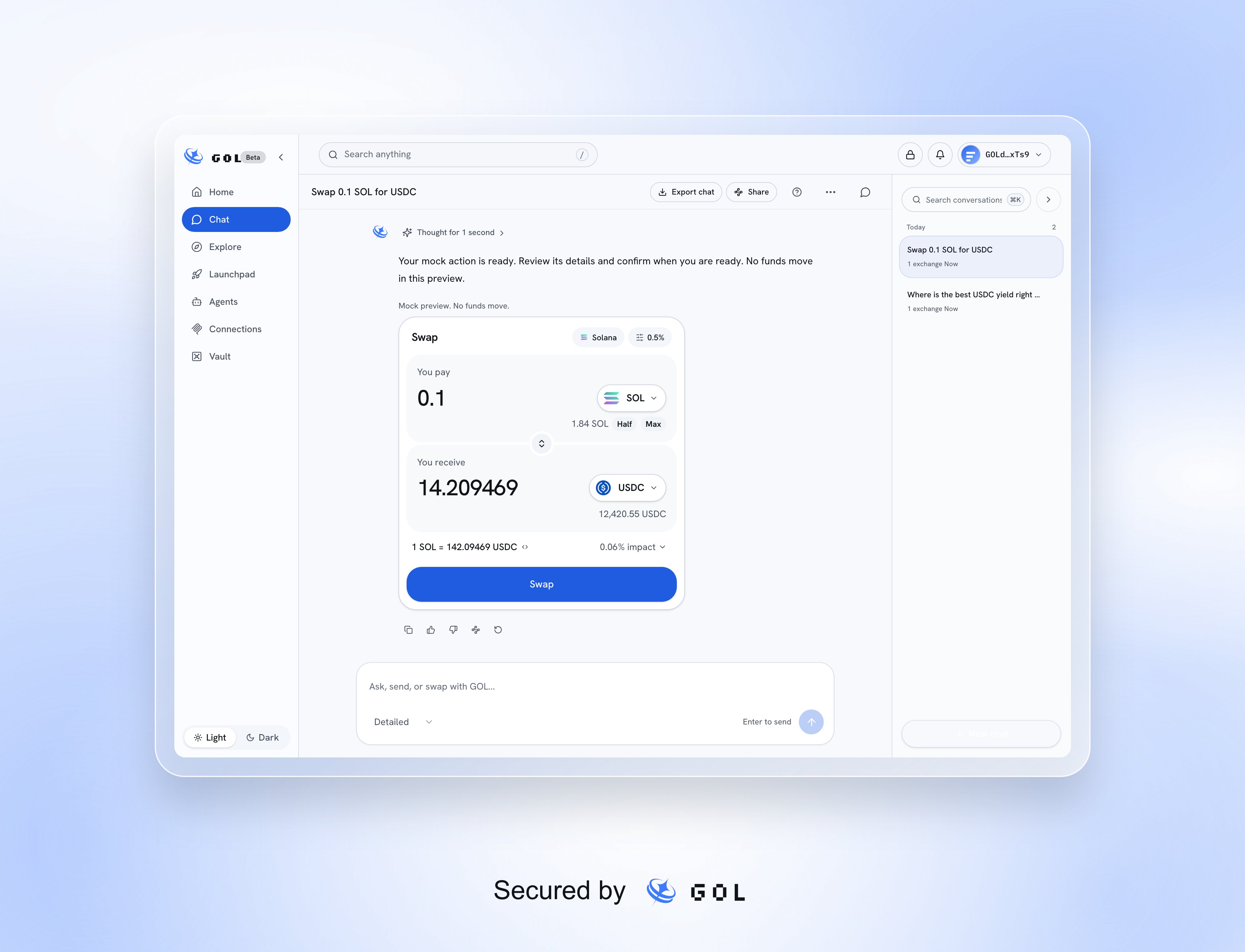
A Chat response containing the shared swap widget with the proposed pair, amount, and explicit swap approval

A sample swap proposed and reviewed inside Chat.

A proposal does not contain a wallet approval or prove execution. Review the account, network, amounts, recipient or protocol, and warnings in the embedded controls. The app still checks the transaction and requires the appropriate owner approval. Creating a paper strategy does not authorize real trading.

Read the result

Receipts come from the product’s action flow. Submitted means the action has been sent but is not yet confirmed. Confirmed, Failed, Cancelled, and Uncertain describe different outcomes. A refusal before broadcast can state that nothing was sent. When a transaction is submitted or uncertain, inspect its existing status or wallet activity. Refreshing status is different from signing and sending another transaction. A Chat answer or an unsigned prepared transaction is not a receipt. See security and control.

Conversations, export, and sharing

Use the history panel to open, search, rename, or delete conversations, or start New chat. Search also supports Ctrl+K or Cmd+K. An immediately deleted conversation may offer Undo. Conversations are stored in this browser for the connected wallet. They do not automatically follow you to another device. Clearing browser data removes local history; use Export chat to download a Markdown copy. If a conversation fails to save, do not assume it will survive a reload. Share creates a read-only answer link that anyone with the link can open when app access permits. Do not share private details. A shared answer does not give another person your wallet session or an executable approval. Use the help control to replay the guided tour where offered.