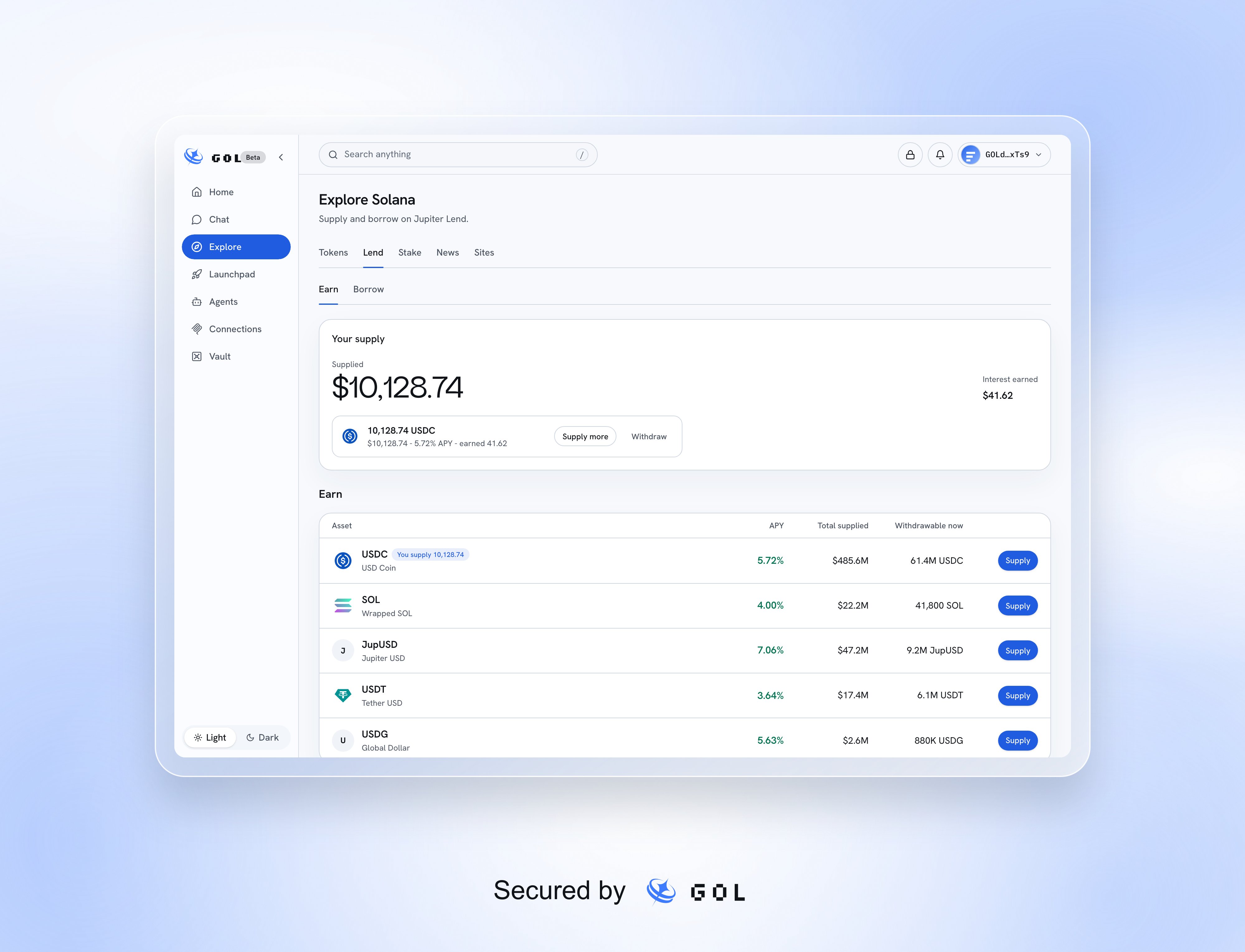
Open Explore, then Lend. Earn supplies an asset for a variable rate; Borrow uses collateral to take out a loan. Both use Jupiter Lend’s main Solana market. Reading works without a wallet; actions require a connected Solana wallet and an available lending service.
Jupiter Lend Earn with supported assets, variable APYs, total supplied, available withdrawals, and the owner's supply

Sample Earn markets and supply positions.

Supply and withdraw

1

Choose an asset

In Earn, compare APY, total supplied, and Withdrawable now. Open an asset for its details, or select Supply. APY changes and is not guaranteed.
2

Enter the amount

Use the supply card or sheet to enter an amount. On the asset detail page you can switch between supplying and withdrawing. The estimated annual earnings use the displayed rate and are not a promise.
3

Review and sign

Select the review action. Check the asset, amount, account, and preview, then choose Confirm in wallet. Failed transaction checks or simulation prevent signing.
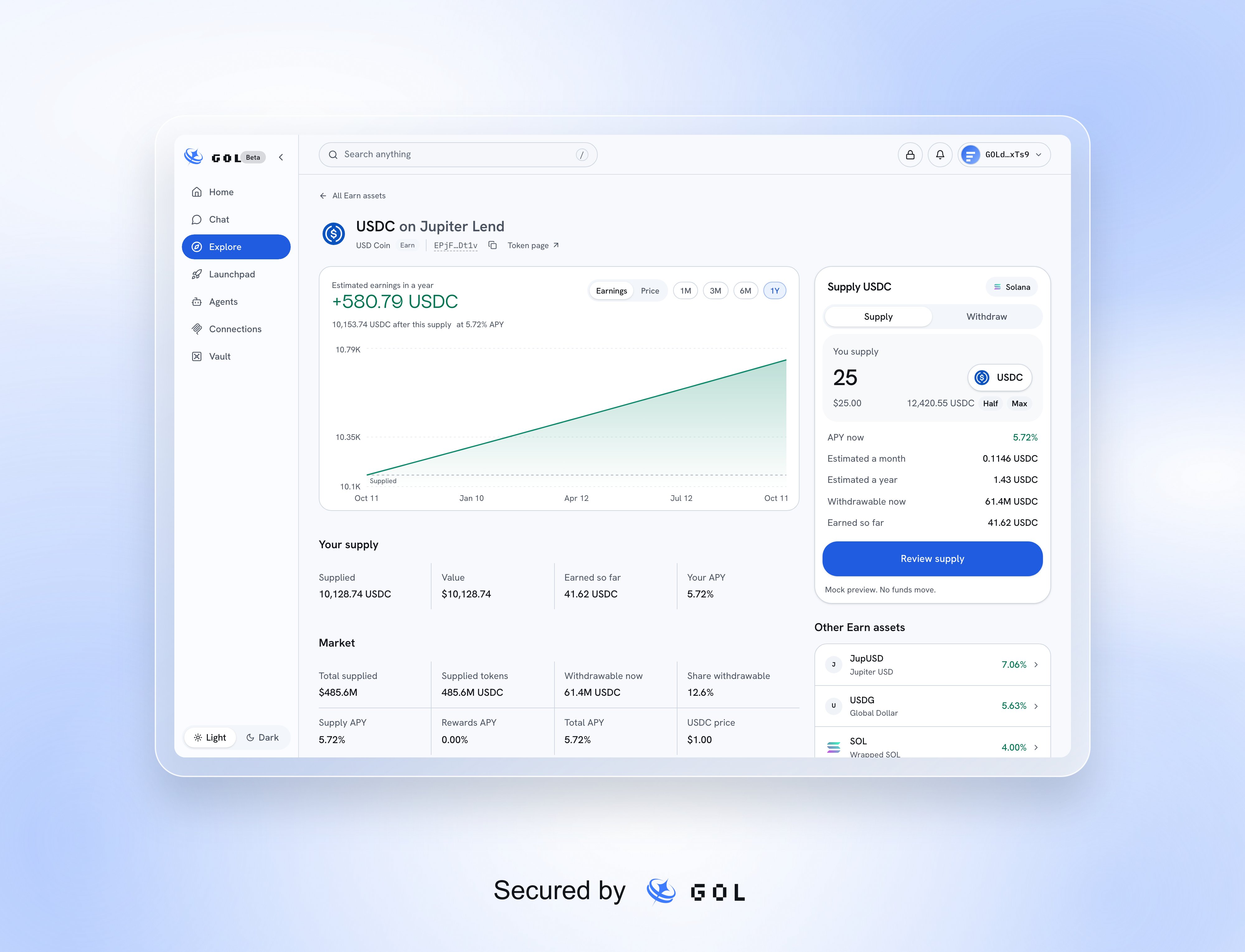
The USDC Earn detail page with its rate chart, supply information, and supply and withdraw card

Sample USDC market details and supply controls.

Your supply appears in Lend and Home’s positions. Use Supply more or Withdraw to manage it. Withdrawing depends on the liquidity available now, not only on the amount you supplied. Where offered, All selects the full position.

Open a loan

In Borrow, filter by the token you want to borrow and open a collateral/debt pair. Each vault has its own maximum loan-to-value, liquidation threshold, borrowing rate, minimum loan, and available liquidity. These borrowing vaults are separate from the GOL personal Vault. Enter the collateral and optional debt amount. Review the resulting debt, loan-to-value, liquidation price, and warnings before confirming in your wallet.
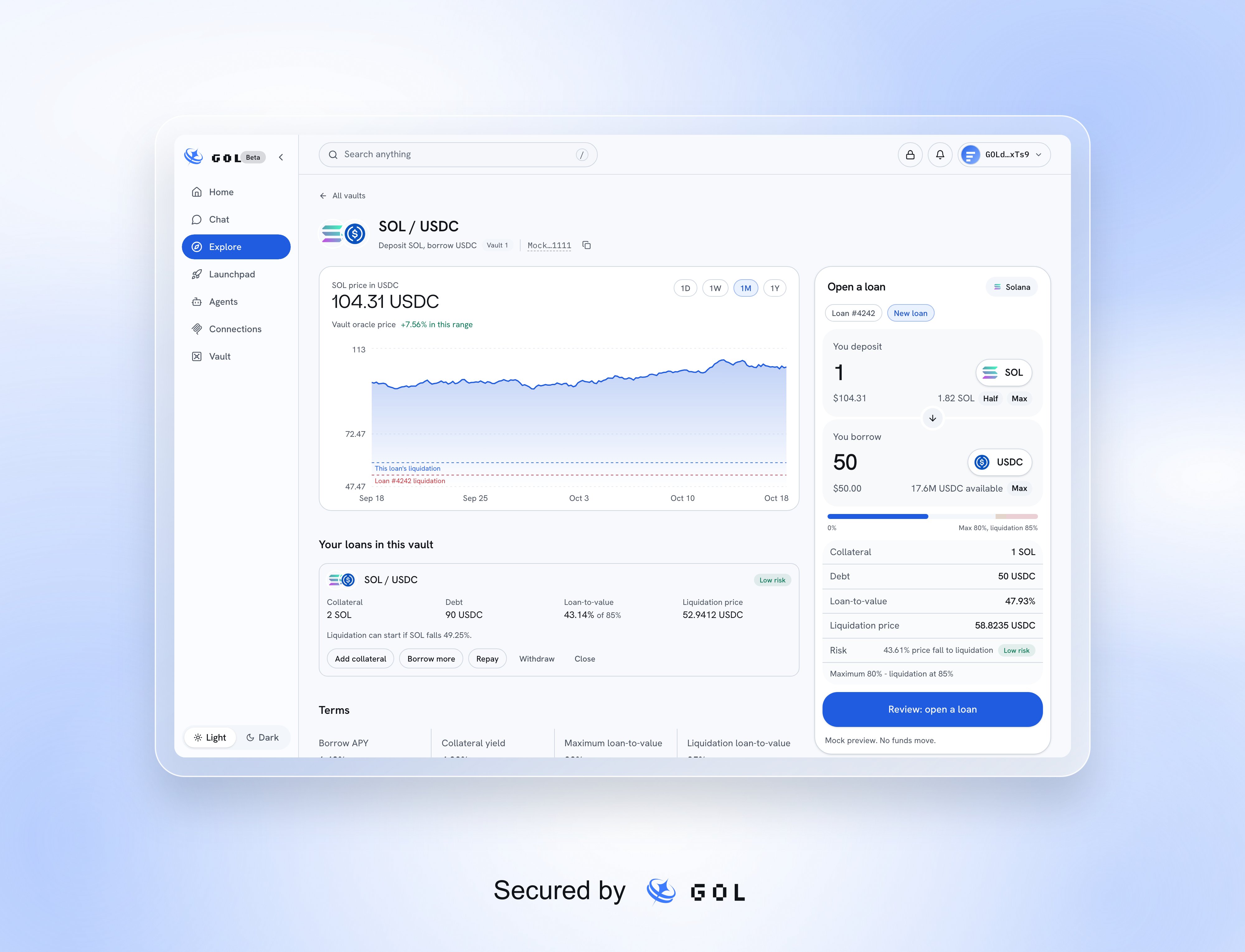
A Jupiter Lend Borrow vault with collateral and debt terms, liquidation risk, an existing loan, and borrowing controls

A sample SOL/USDC loan and the vault's action card.

Manage a loan

Select your loan to Add collateral, Borrow more, Repay, Withdraw collateral, or Close it. Review the effect on collateral, debt, and liquidation risk each time. Full repayment includes accrued interest; closing also returns collateral through the protocol’s permitted flow.
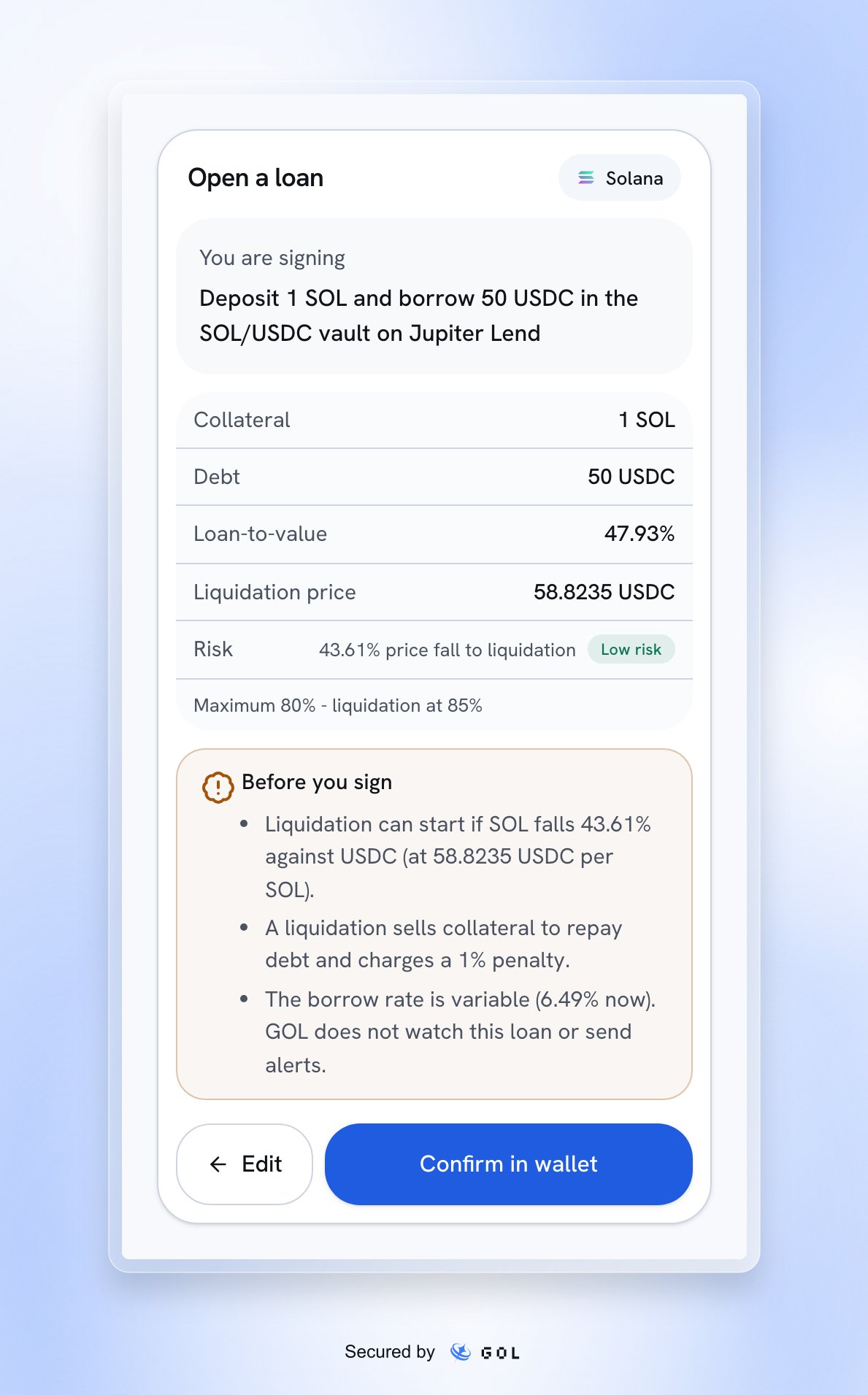
The borrowing review with collateral, debt, loan-to-value and plain-language liquidation warnings before wallet confirmation

Review before wallet approval, using sample amounts.

Collateral can be liquidated if the loan crosses its liquidation threshold. GOL shows risk information but does not monitor your loan or send liquidation alerts. An action can be allowed by the vault and still leave little room before liquidation.
GOL enforces the vault’s transaction limits; it does not refuse a permitted loan merely because its displayed risk is high. This guide covers the supported main market, not Ethena, Multiply, unwind, vault swaps, or staked-SOL-account vaults.

From Chat

Ask, for example, “Supply 25 USDC to Jupiter Lend” or “Borrow 50 USDC against 1 SOL”. A proposal opens the same review controls. It does not itself deposit, borrow, or sign. If a submission is uncertain, check the existing transaction and wallet activity before retrying.